
Add many sources
Import a folder or several files at once. DataSieve skips duplicates and unpacks ZIP and other archives.
DataSieve: Text Data Extractor
For people who work with text and documents
Find emails, phone numbers, dates, links, and more in text, files, folders, and archives.
Made for developers, analysts, researchers, writers, and anyone who needs to find details in a pile of text.
Free to try. A one-time lifetime purchase to unlock all features.
Available for iPhone, iPad, and Mac.
Input text
Hello from Acme Corp! Contact us at info@acmecorp.com or +1 (415) 555-3948.
Found
From source to result
Add your source, choose what to find, review the table, then copy or export what you need.
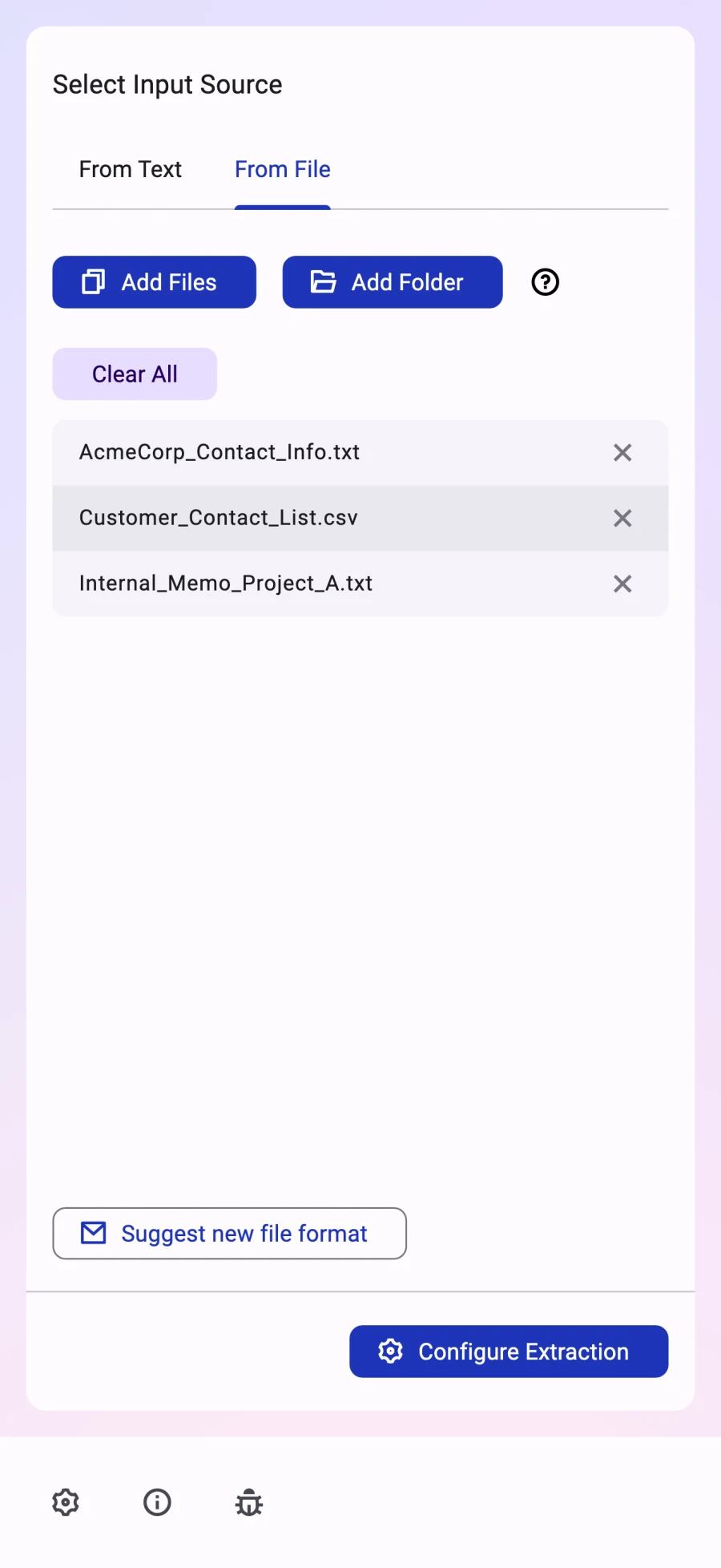
01 · Add
Paste text or add files and folders. On Mac, you can also drop them into the app.
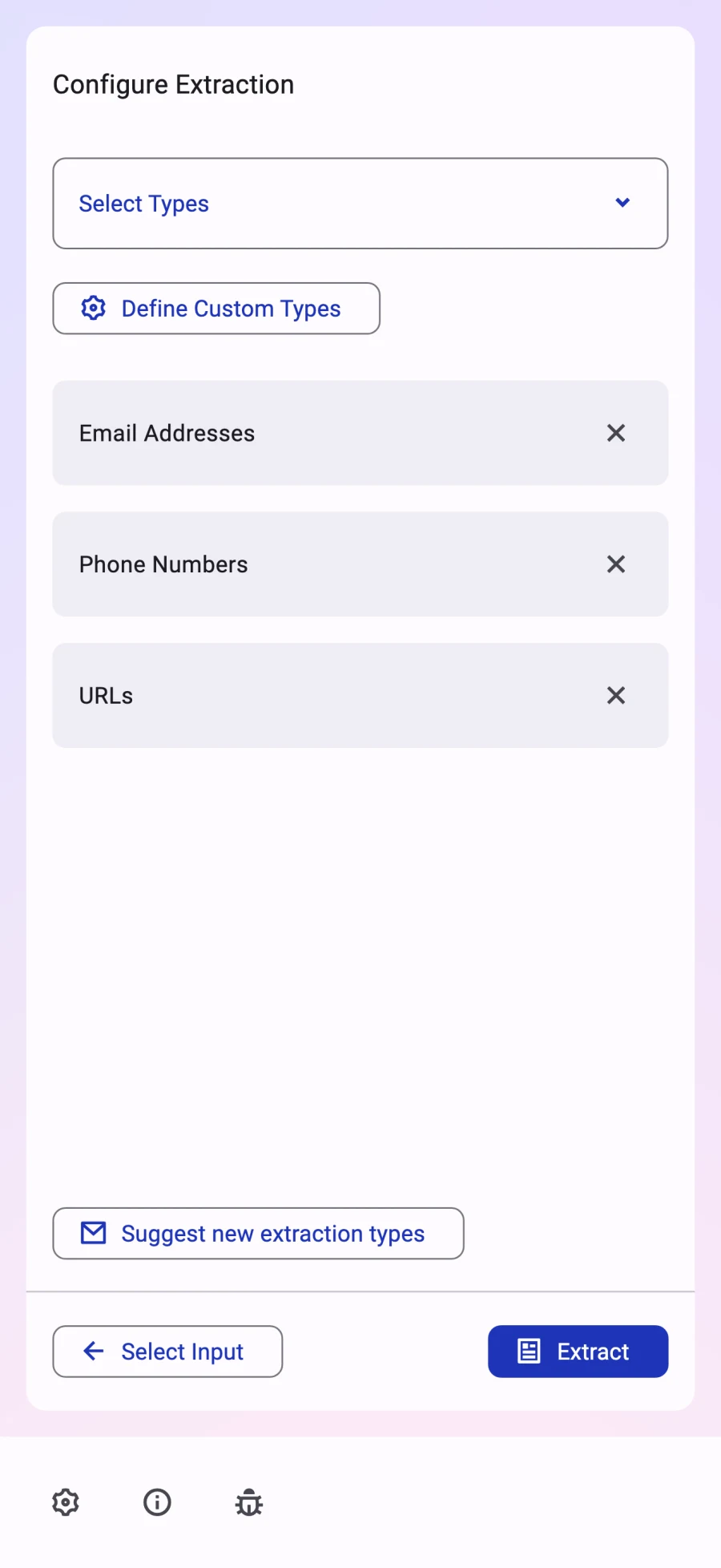
02 · Choose
Select several data types for one scan, or set up a custom type with your own pattern.
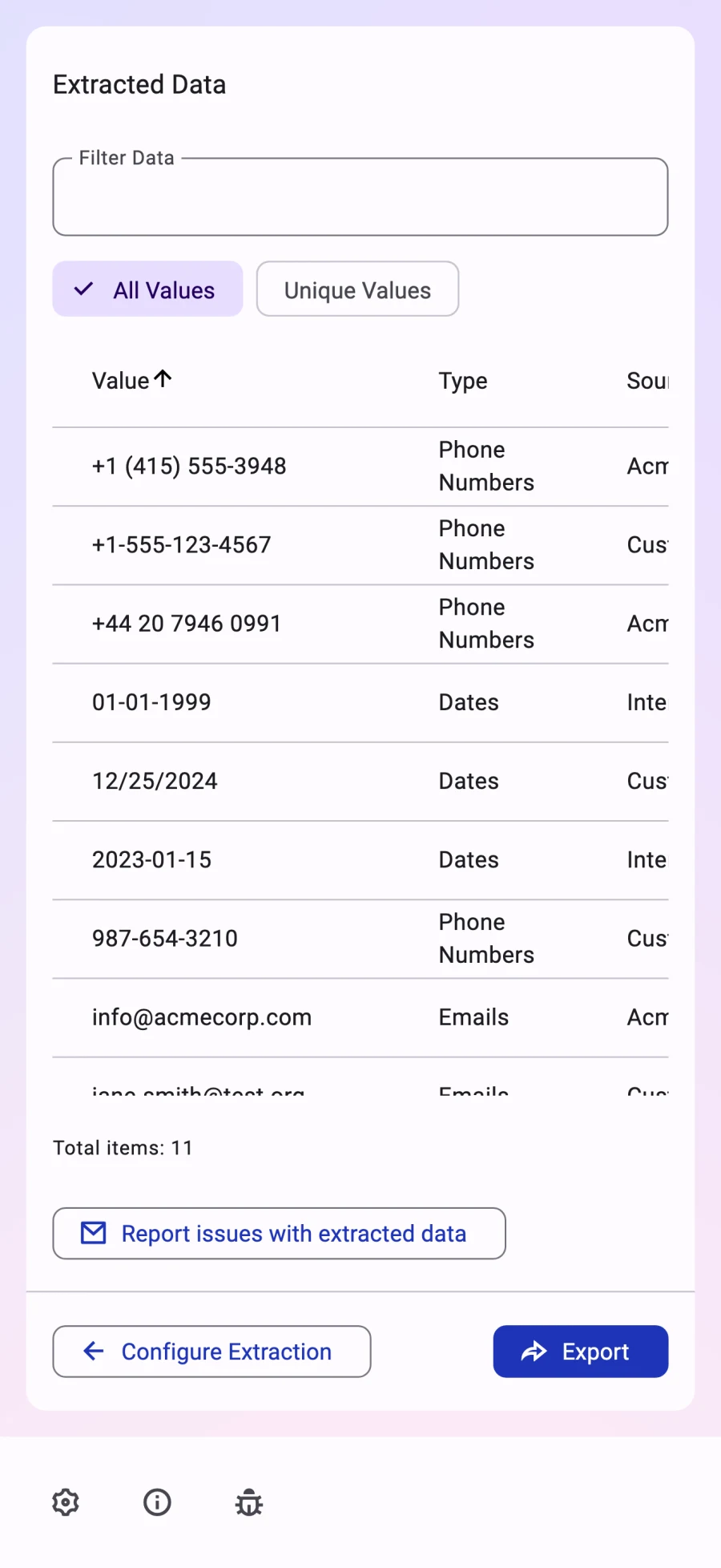
03 · Review
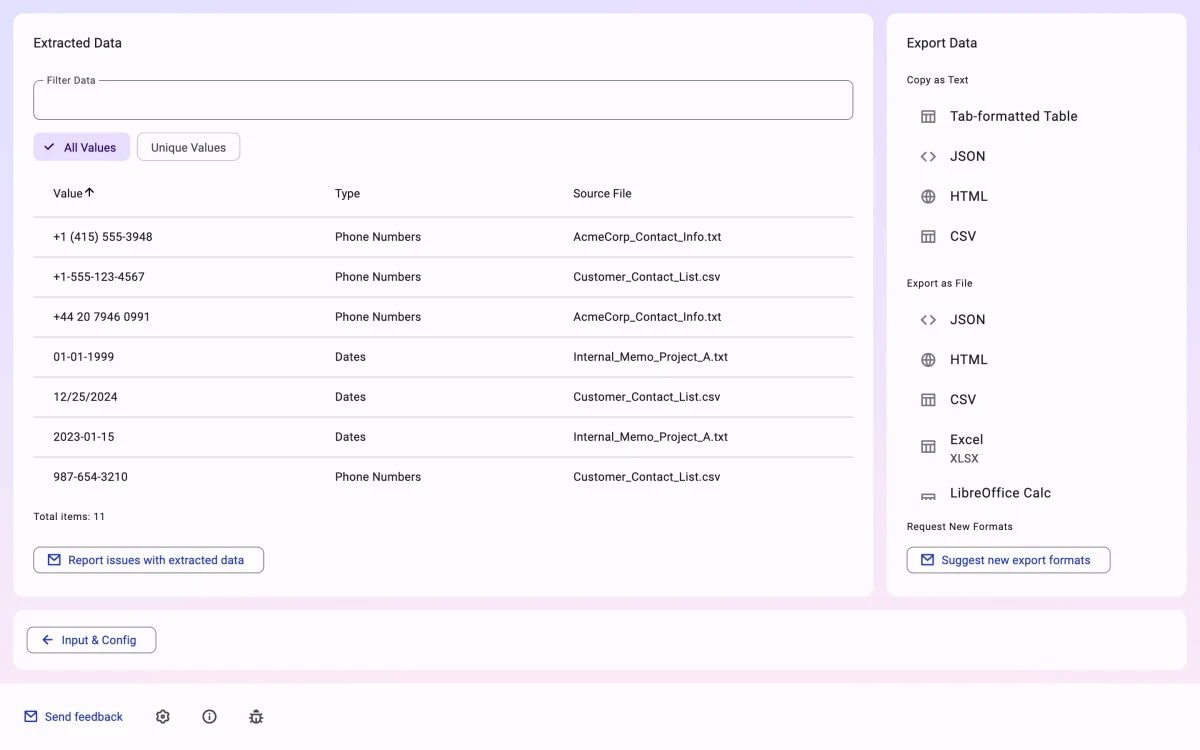
Filter the table, see each source file, or group matching values and counts.
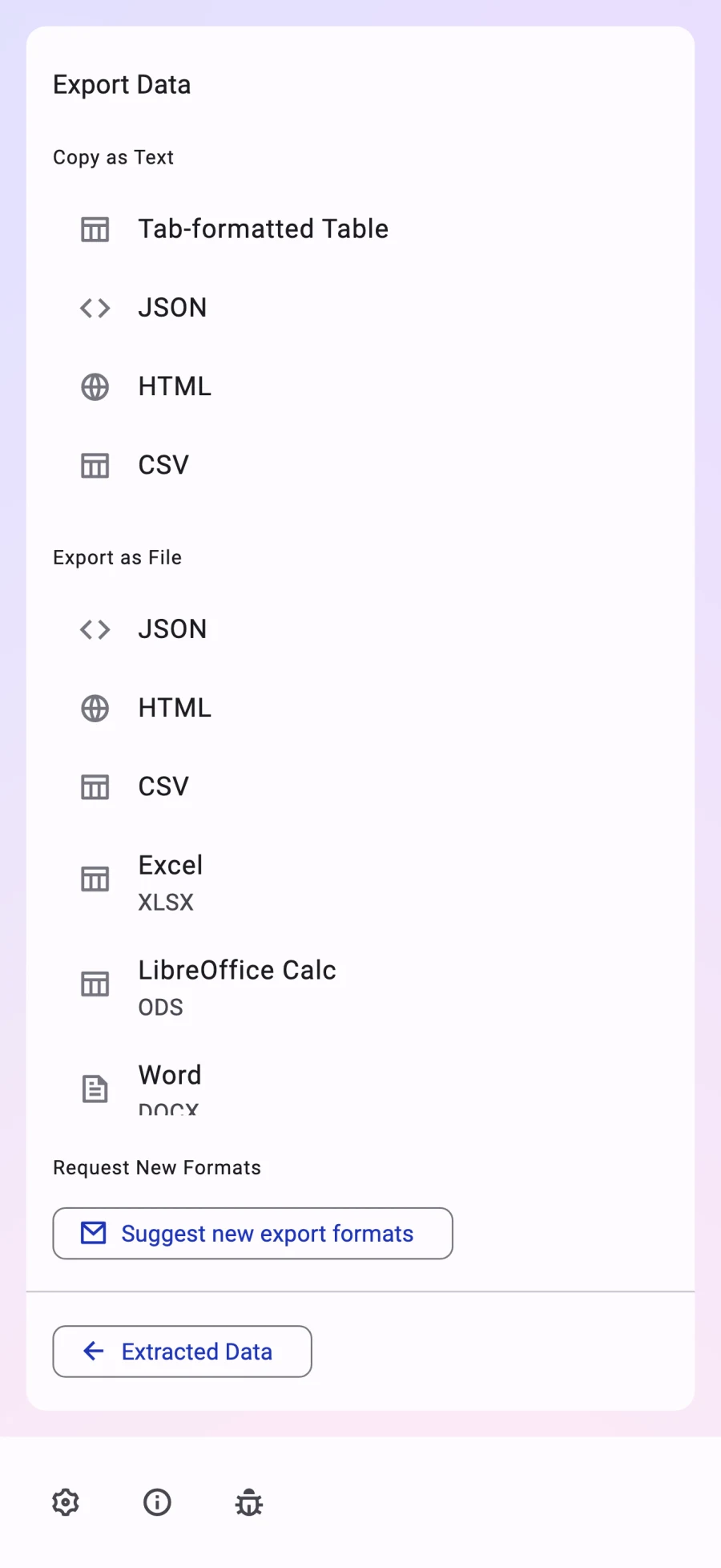
04 · Use
Copy results or save them in a format your next app can use. This needs a single lifetime in-app purchase.
Try it here
Pick what to find and watch the sample turn into a short list of values.
01 · See
Sample text
Hello from Acme Corp! Contact us at info@acmecorp.com or +1 (415) 555-3948. Our EU branch: acme.eu.office@mail.eu, phone: +44 20 7946 0991. Visit https://acmecorp.com/about to learn more.
02 · Pick
03 · Read
5 values
Emails
Phone numbers
URLs
Sample run on the app's AcmeCorp test file; on your device, DataSieve processes your own text locally.
Extraction examples
Use built-in types to collect common details from contact lists, reports, code, logs, and research files.
Need a different kind of detail? Create a custom type and set its pattern.
Made for the whole task
Import a folder or several files at once. DataSieve skips duplicates and unpacks ZIP and other archives.
Find emails, dates, phones, and other details in one scan. Add your own types when you need a custom pattern.
Filter the result table and see each source file. Compare all or unique values with counts. DataSieve also shows files it could not read.
Text, documents, and more
Use text input or scan files and folders. DataSieve reads TXT, HTML, JSON, CSV, XLSX, ODS, DOCX, ODT, PDF, and EPUB files. It can also unpack ZIP and other archives.
Copy as tab-formatted text, JSON, HTML, or CSV. Export files as JSON, HTML, CSV, XLSX, ODS, DOCX, or ODT.
Local extraction
DataSieve reads and extracts your text and files on your device. It does not send them away to find data.
On an app error, DataSieve may send a crash report that includes source text, extracted results, or file paths. Reports are deleted after 14 days.
Before you download
Yes. DataSieve is free to download and try: add text or files, choose what to find, extract data, and preview results. A one-time lifetime purchase unlocks copying and exporting.
Use text, TXT, HTML, JSON, CSV, XLSX, ODS, DOCX, ODT, PDF, EPUB, ZIP, and other archives. You can also add folders.
Yes. Give it a name and set the pattern it should find. DataSieve flags patterns it cannot use.
Free to download and try
Extract and preview your results for free on iPhone, iPad, or Mac.
Free to try. A one-time lifetime purchase to unlock all features.
More apps