Between design apps
Import a palette from Affinity, then export it for Procreate.

Universal Palette Converter
For designers and developers
Bring colors in from design apps, files, or code. Inspect them, rename their labels, and preview the format your next tool needs.
Move a palette from Affinity to Procreate. Carry colors from one codebase to another. Turn a design palette into CSS or JSON.
Free to try. A one-time lifetime purchase to unlock all features.
Available for iPhone, iPad, Mac, and Android.
A palette in. Usable output out.
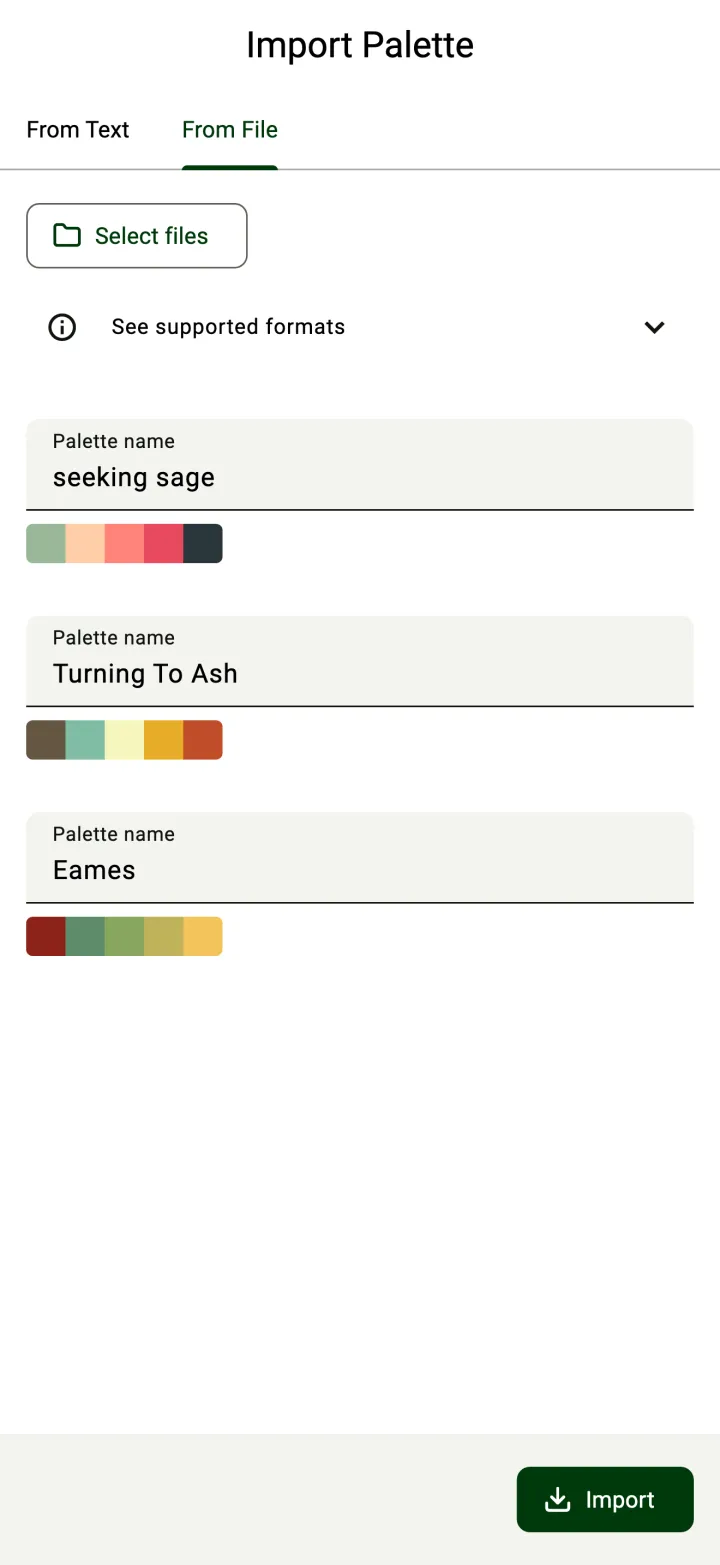
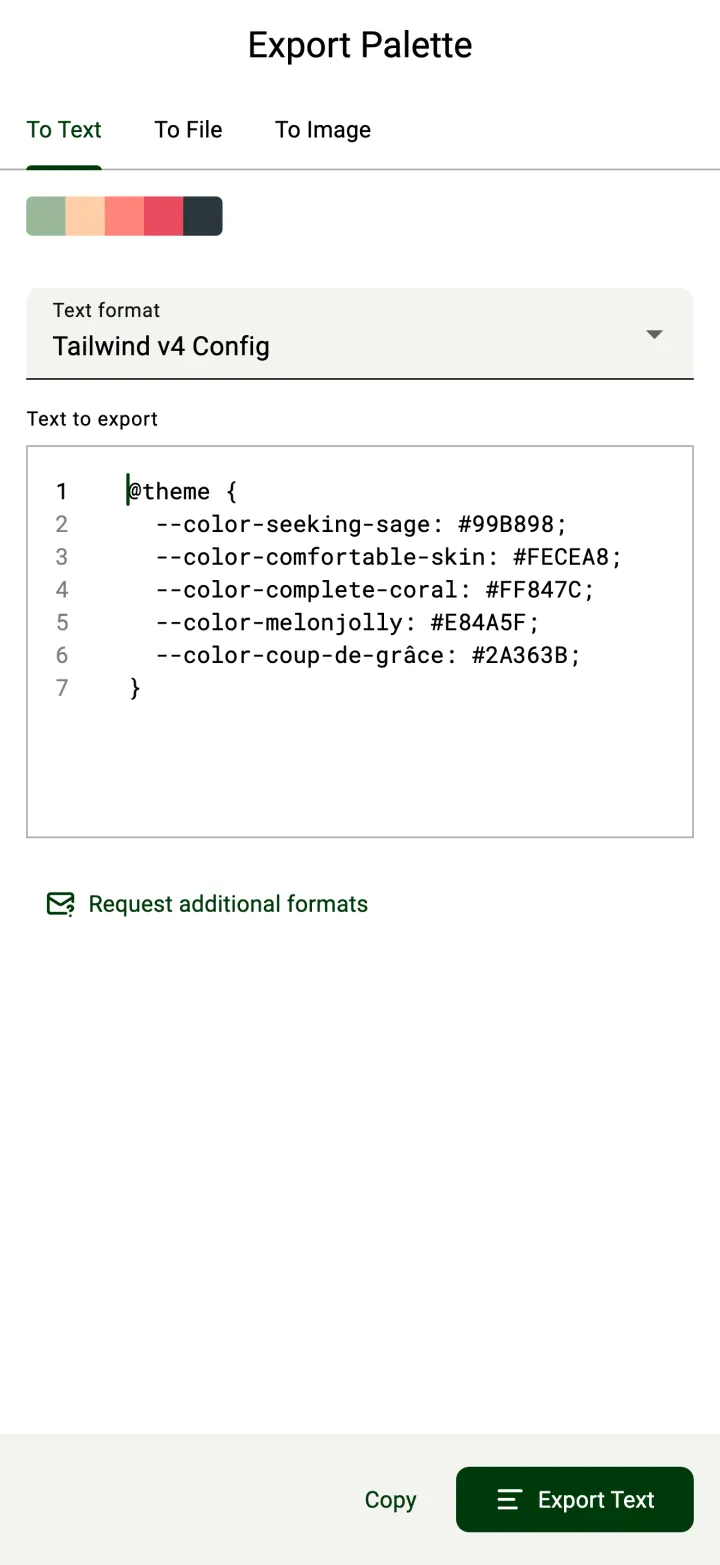
The preview is free. Copying or exporting is part of Pro.
Offline use
The format problem
Design apps, files, and code often store the same colors in different formats. When a palette needs to go somewhere new, you may have to enter its colors and names again.
UPC brings supported formats into the same palette view. Choose a new output without finding a separate converter for each format pair.
Inspect colors, rename palettes and color names, then preview another format.
Three common routes
Import a palette from Affinity, then export it for Procreate.
Bring colors in from one codebase and preview them in another code format.
Take a palette from a design file and prepare CSS or JSON output for a developer.
Import · Convert · Export
Bring in colors, choose a format, and preview the result before export.
01 · Import
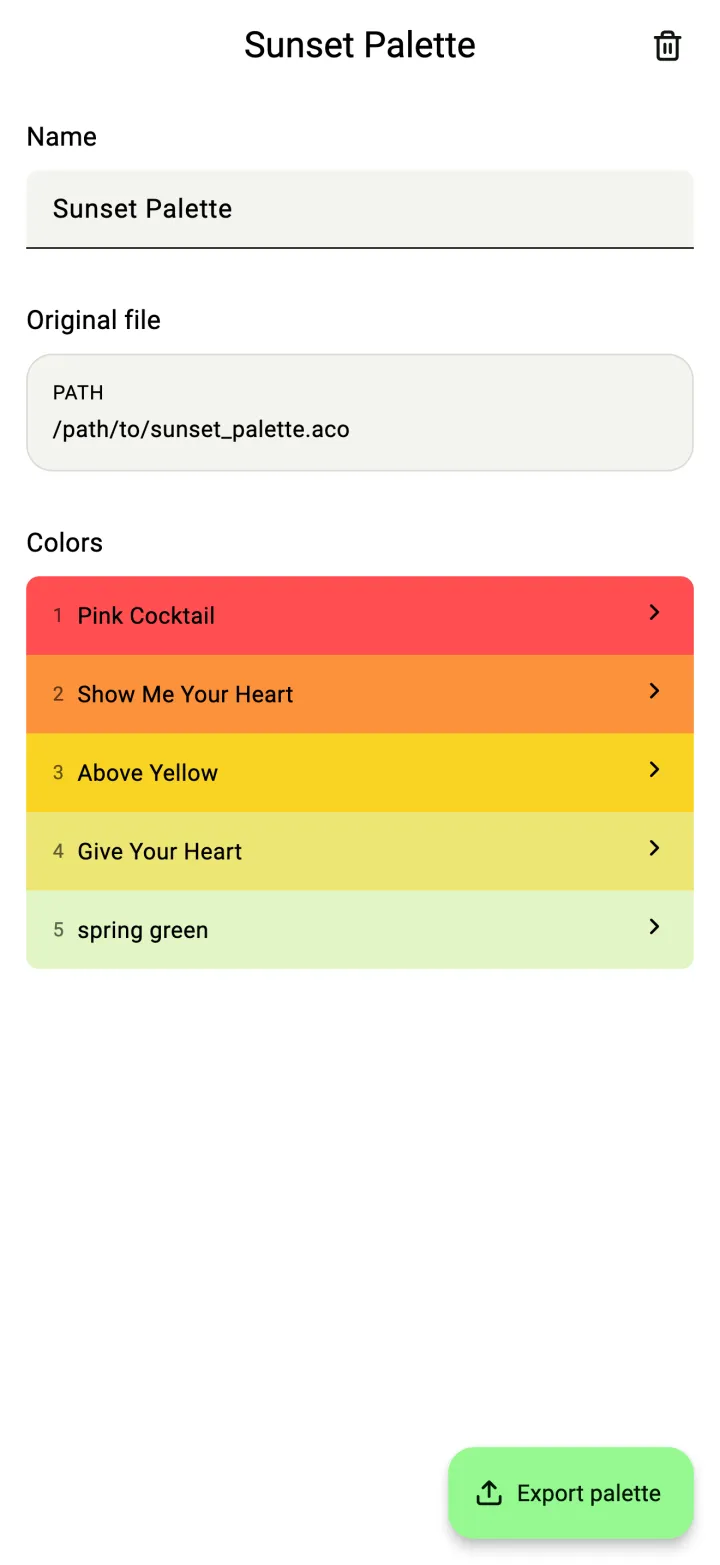
Import palette files or paste text. On desktop, drag and drop a file. Review detected palettes and colors before importing.
02 · Convert and inspect
View color values in different color spaces. Search saved palettes by palette or color name. Rename palette and color names when needed.
UPC does not add, change, or remove colors.
03 · Export
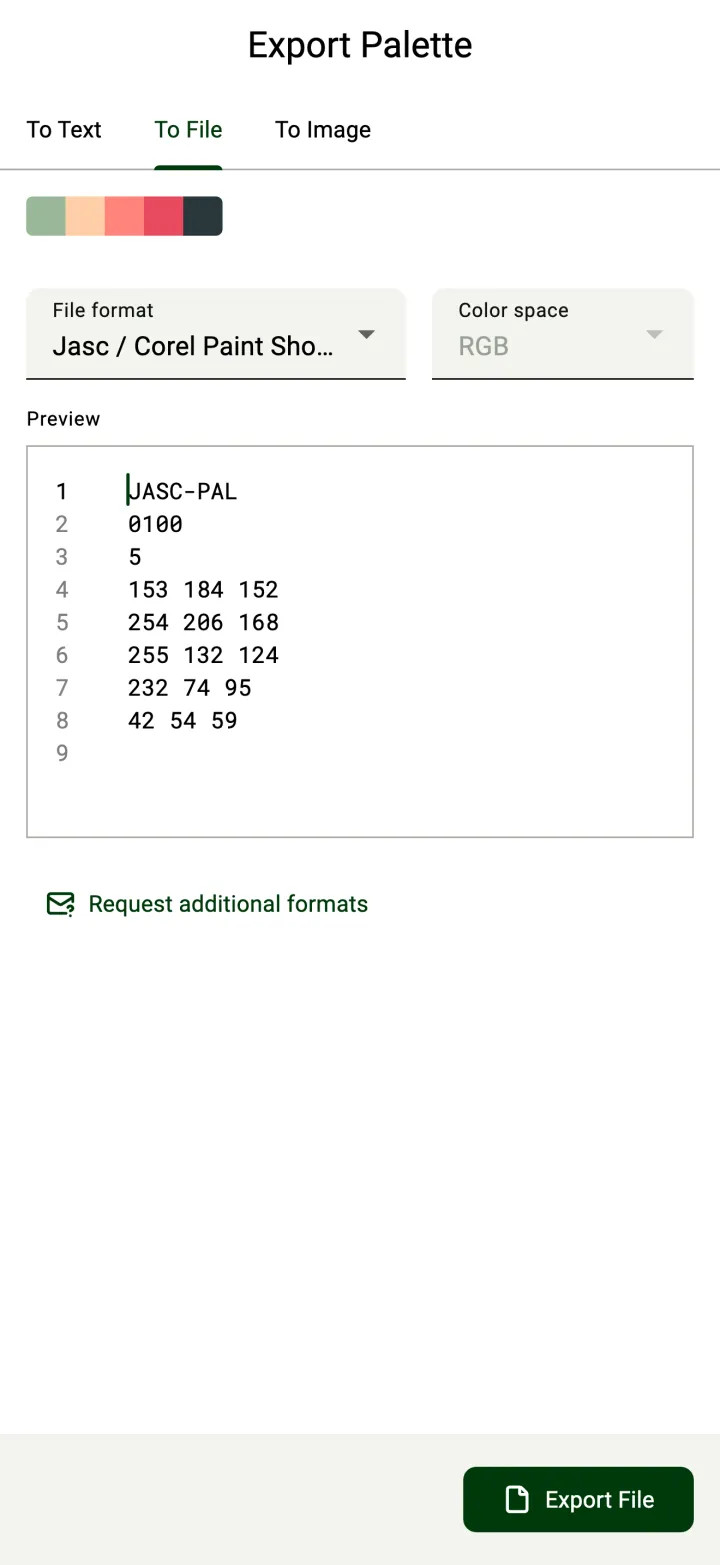
Preview every export format for free. Text output has syntax highlighting. Text-based file exports show a preview of the file contents.
Choose a color space for file export when the format supports it.
★★★★★
“An amazing tool that just saved me from a gigantic headache importing files from multiple programs, absolutely recommend.”
Preview the file contents, then export a palette file for another app.
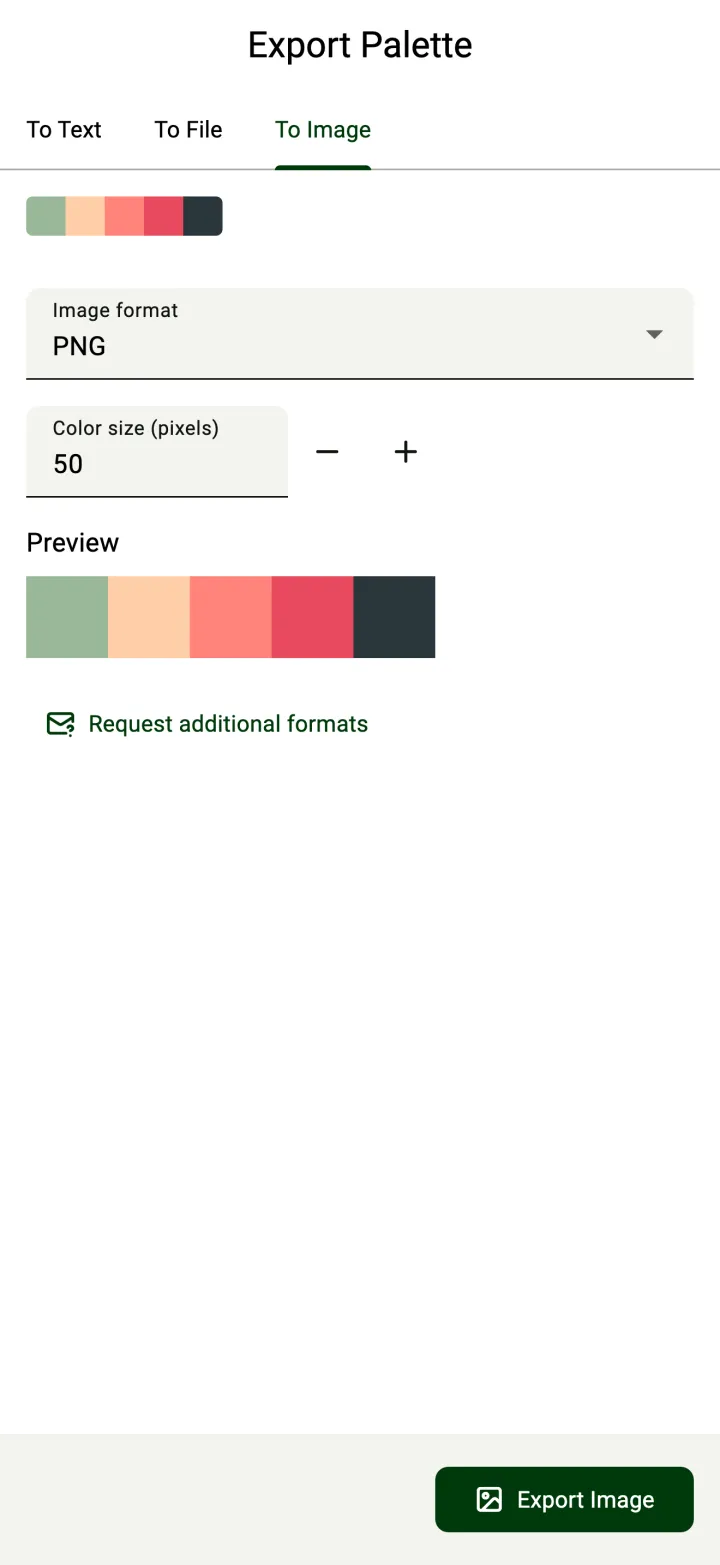
Preview a PNG or JPEG palette image and set the size of each color cell.
Try it here
Pick a sample palette, pick an output format, and see the real text UPC generates.
1 · Pick a palette
2 · Pick a format
Lagoon + CSS
--aoi: rgb(105, 210, 231);
--clean-pondwater: rgb(167, 219, 216);
--beach-storm: rgb(224, 228, 204);
--giant-goldfish: rgb(243, 134, 48);
--unreal-food-pills: rgb(250, 105, 0);Sample palettes with real UPC output. In the app you import your own palette; copying and exporting need Pro.
Supported formats
Move between tools that store colors in different ways.
The lists below show what UPC can import and export. Some formats are import-only or export-only.
PNG and JPEG.
Free to use
Import palettes and check every format before deciding whether to export.
One-time lifetime purchase. No trial or subscription.
Store ratings
★★★★★
“Perfect. Many conversion options, an intuitive interface, no subscription, and a fair price. A great tool for iPadOS, iOS, and macOS. Thanks.”
★★★★★
“Does it’s job well! Overall quite happy with the app, it works exactly as you would expect, in the best way.”
Before you download
Yes. UPC is free to download and try: import palettes, inspect colors, rename labels, and preview every export format. Pro is a one-time lifetime purchase that unlocks copying, exporting, and sharing. There is no trial or subscription.
No. You can inspect colors and rename palettes or color names. You cannot add, change, or remove colors.
UPC is available for iPhone, iPad, Mac, and Android. The interface adapts to phones, tablets, and desktop screens.
No. UPC needs no account and works fully offline.
Your next palette move
Get Universal Palette Converter for iPhone, iPad, Mac, or Android.
Free to try. A one-time lifetime purchase to unlock all features.
More apps